Case Study - UI/UX Design · Figma · Prototyping
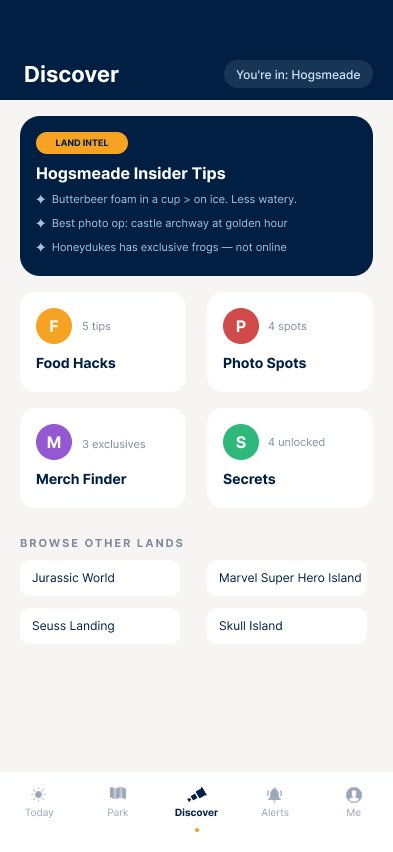
A great theme park day is a skill. Knowing when booking windows open, which pass does what, where the short line is at two in the afternoon, that knowledge builds over dozens of visits, and it changes enormously what a family actually gets for the price of admission.
The official apps assume you already have it. They are capable tools, and they serve frequent visitors well. But a family who comes once every year or two opens the same interface and finds a vocabulary and a planning calendar they are expected to already know.
That is an accessibility problem. The information is all there. Reaching it takes prior knowledge most guests never had a chance to build.
Screen Park starts from a single premise: the savvy version of a park day, the one where you get every bit of value out of the ticket, should be available to a first-time guest on their first morning.
"The parks are supposed to be fun. We handle the rest."
Every decision in this case study traces back to that premise. The map, the language, the planner, the community layer, each one exists to close the gap between what a regular knows and what a newcomer can find out.
Screen Park is designed for the infrequent guest. Families who visit once every year or two, save for the trip, and arrive with high expectations and no working knowledge of the system underneath the experience.
What they bring: a real budget, a fixed number of days, and one chance to get this right. What they don't bring: a memorized reservation calendar, fluency in the acronyms, or any sense of which choices made before nine in the morning decide how the rest of the day goes.
"Does this help someone who has never done this before get the day they were hoping for?"
That question is the test every feature in the product had to pass. Where a feature only paid off for someone who already knew the parks, it was the wrong feature.
Three products were studied against the same question: how much does a guest need to already know before this becomes useful to them?
My Disney Experience. Comprehensive and genuinely powerful, and built around a planning process that begins long before anyone reaches the gate. Dining is the sharpest example. Resort guests book 60 days ahead of check-in, at 6:00 AM Eastern, and the popular tables are gone in minutes. Miss that window and there is no waitlist, only watching for a cancellation. It is the one booking that carries a financial penalty if you no-show, and the one a guest is most likely to need to change on short notice.
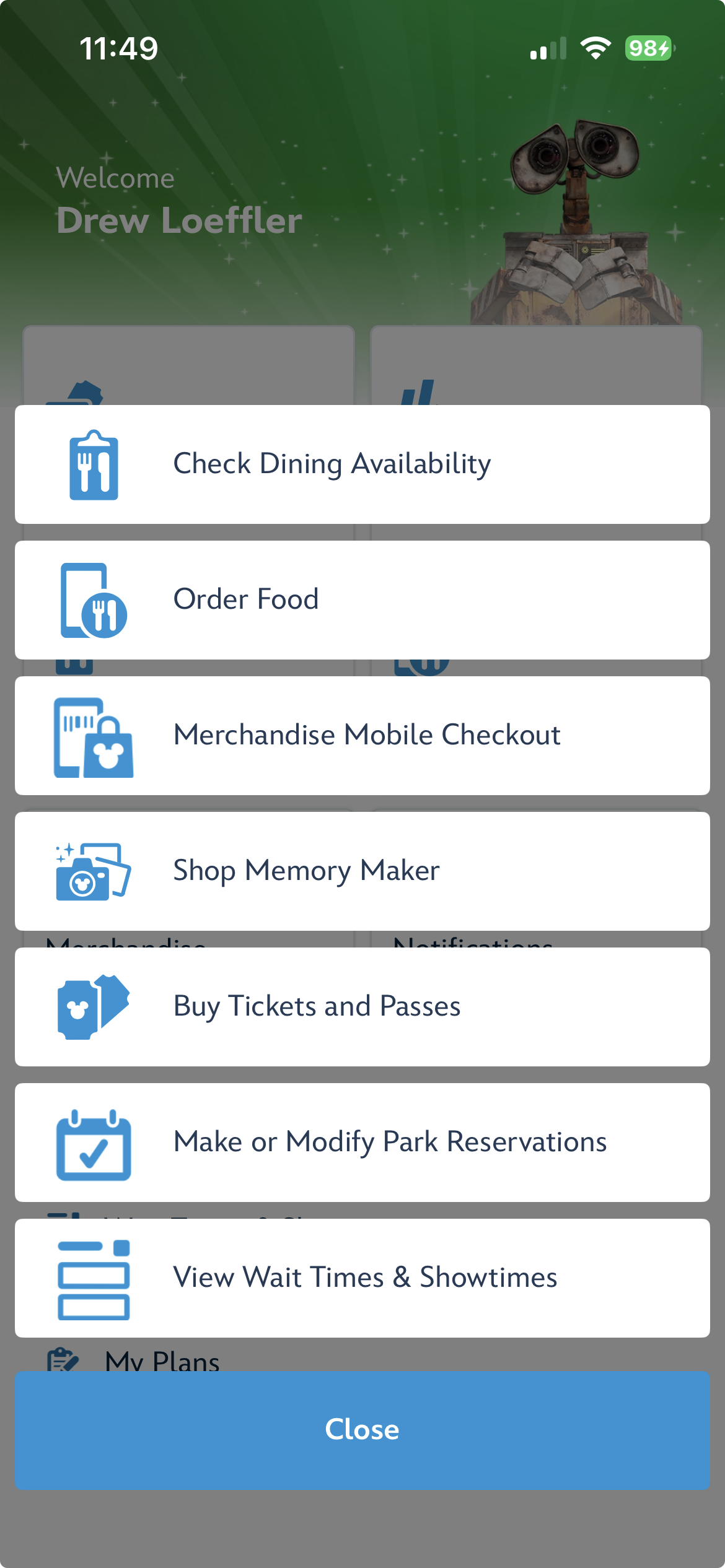
Every item that fits on this screen either sells something or books something. Buy tickets, order food, merchandise, Memory Maker, park reservations, wait times. Your confirmed dining, the highest-stakes plan in the trip, has no card here at all. It lives inside My Plans, a label that says nothing about what is behind it, cut off at the bottom by the Close button.
None of this reads as unimportant to a regular. To a first-time family it is the difference between the anniversary dinner they planned and a night spent hunting a menu for a link. The app holds the information. It does not carry the weight of it.
A note on honesty: no third-party app, ScreenPark included, could ever fix this specific gap. Dining runs on Disney's own reservation system, behind an API they will never open. It stands here as the clearest example of the class of problem the project cares about, unifying the knowledge a savvy guest carries with the experience an average guest actually gets, where the stakes are a real family's real day.
Universal's official app. Cleaner and less demanding than MDE, with reliable live wait times and a map that reads well at a glance. It is also where the most interesting accessibility trade-off in either app shows up.
Universal color-codes map points by land. Every pin inside one area shares a color. As theming, it is beautiful and it reinforces the sense of place the parks are built on. As wayfinding, it spends the fastest signal on the screen on information the guest already has. You know which land you are standing in. What you are scanning for is a restroom.
Color tells you which land you are in. You already know that. To find a restroom you have to read all eight glyphs.
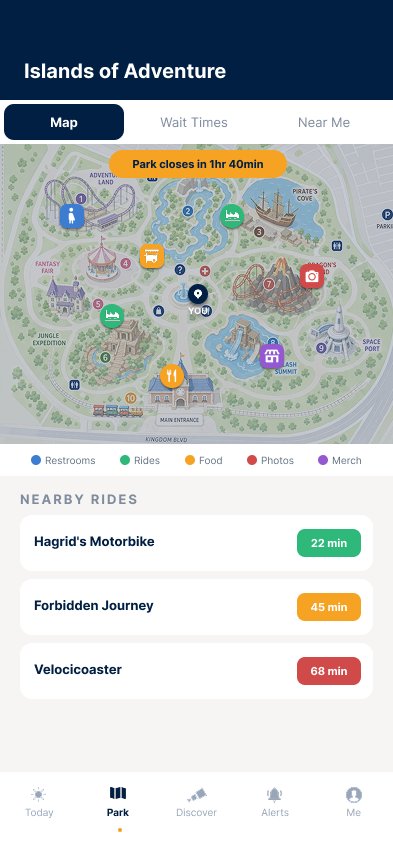
Blue is always restrooms. Amber is always food. Green is always attractions. One glance, no reading.
The same eight points of interest, coded two ways
That is the principle. Here is it happening in the shipped app.
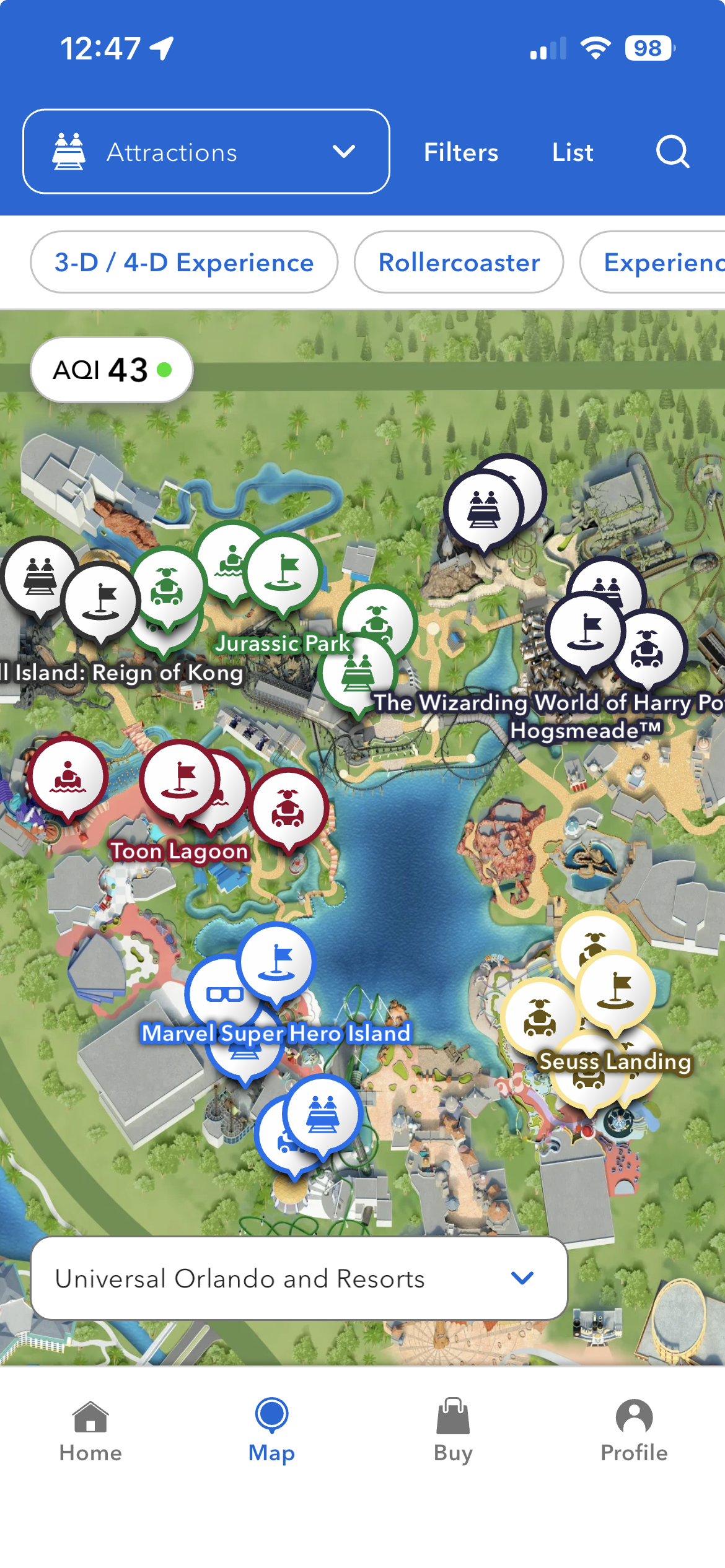
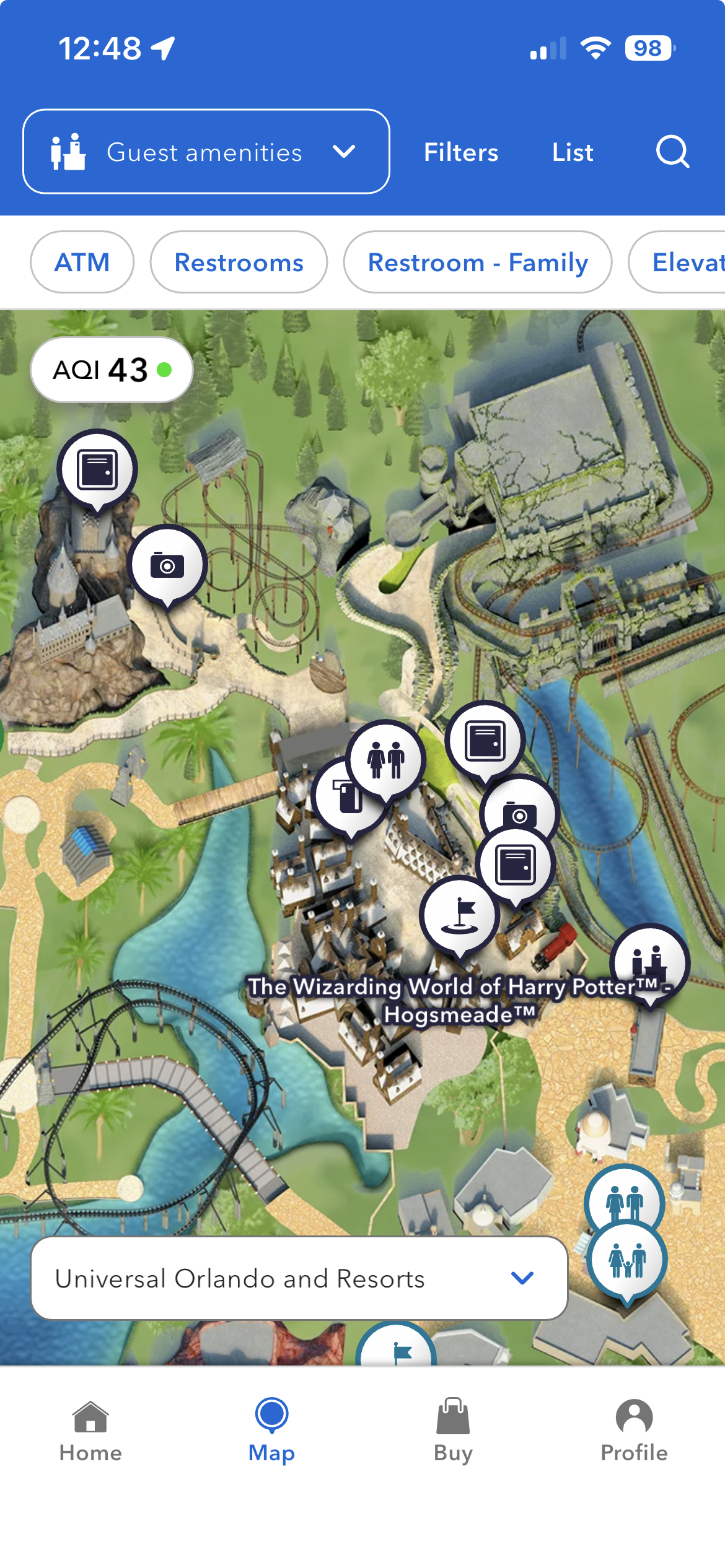
On the left, five colors across one park, and every one of them is telling you which land you are looking at. Jurassic Park is green, Toon Lagoon is maroon, Marvel is blue, Seuss Landing is gold, Hogsmeade is navy. To find a rollercoaster you read glyphs across all five.
On the right is where it gets expensive. Filter to guest amenities inside a single land and every pin turns the same color, because the color was never describing the pin. Restrooms, lockers, photo ops, ATM, first aid, all identical navy circles separated only by a small glyph, at the exact moment a guest is most likely to be in a hurry.
Once you learn the restroom icon you still have to check every icon to find it. If restrooms were simply blue, you would find them without reading anything. Color is the fastest thing on a screen to process, faster than shape and considerably faster than a glyph read at arm's length in daylight with a child pulling at your sleeve. Iconography still matters, and Screen Park uses it, but color carries the first pass. Spending that pass on theming rather than function costs the most for the guest with the least context to fall back on.
Ride Ready and third-party apps. Closer to the right instinct, and worse in execution. Cluttered, ad-supported, and organized around data density rather than a guest journey. They serve the enthusiast who wants numbers, not the family who wants a plan.
"Every app I studied was built for the person who already knows. The gap was never information. It was translation."
Every one of these products holds plenty of information. None of them turns it into something a first-timer can act on in the first sixty seconds. That translation is the whole reason ScreenPark exists.
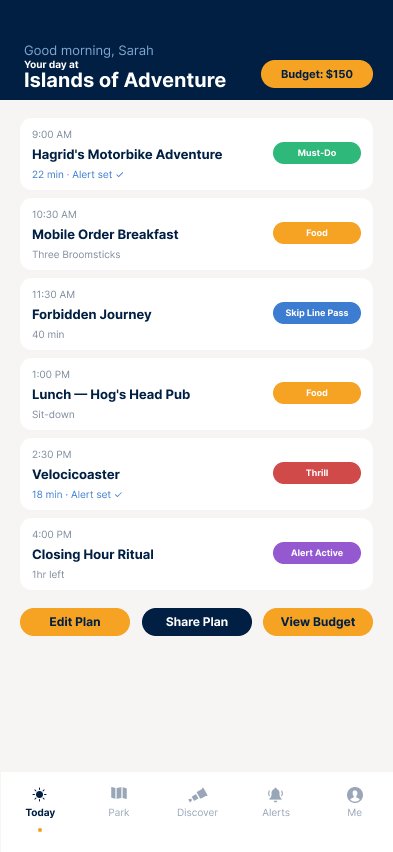
Five tabs, organized by what a guest needs rather than by how the park is structured. The distinction matters: a park-shaped app asks you to know where you are going. A guest-shaped app asks what you need right now and answers from wherever you happen to be standing.
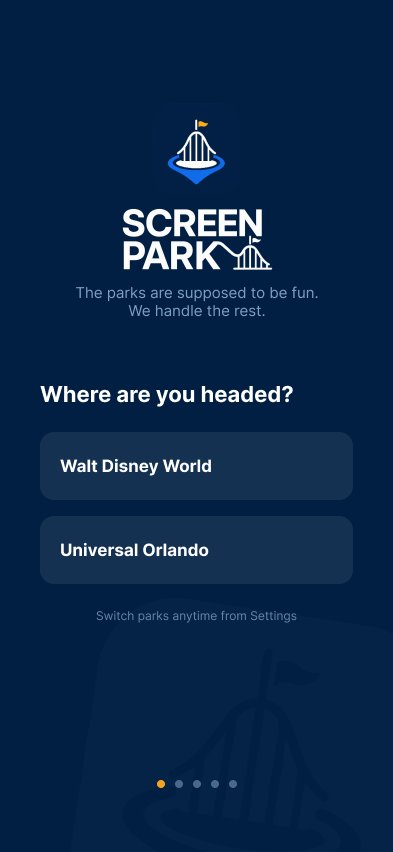
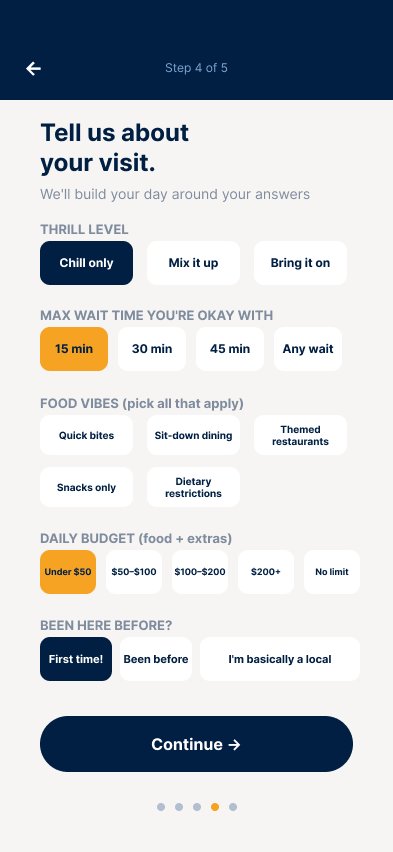
Entry is linear and deliberately short. Everything after it is lateral, reachable from any other place in the product in one move.
A guest arrives at a populated day plan without having made a single decision that required prior knowledge. That is the accessibility bar the entry flow was built to clear.
Fixed above the nav rather than inside it, so the settings that change how the whole product behaves are never buried under a tab.
Screen Park is built as a multi-resort platform, and the architecture above is the part that does not change. The Universal Orlando and Walt Disney World variants share identical structure, navigation logic, and interaction patterns. Only color language and content adapt.
That symmetry is an accessibility decision before it is a branding one. A guest who learns the product at one resort keeps that knowledge at the other, which matters most in exactly the conditions the product was designed for: thick crowds, a child on your hip, two minutes to decide the next move.
The system was built before any screen was designed, and every part of it was measured against the same accessibility question: can a guest who has never opened this app read it correctly on the first try, outdoors, in a hurry?
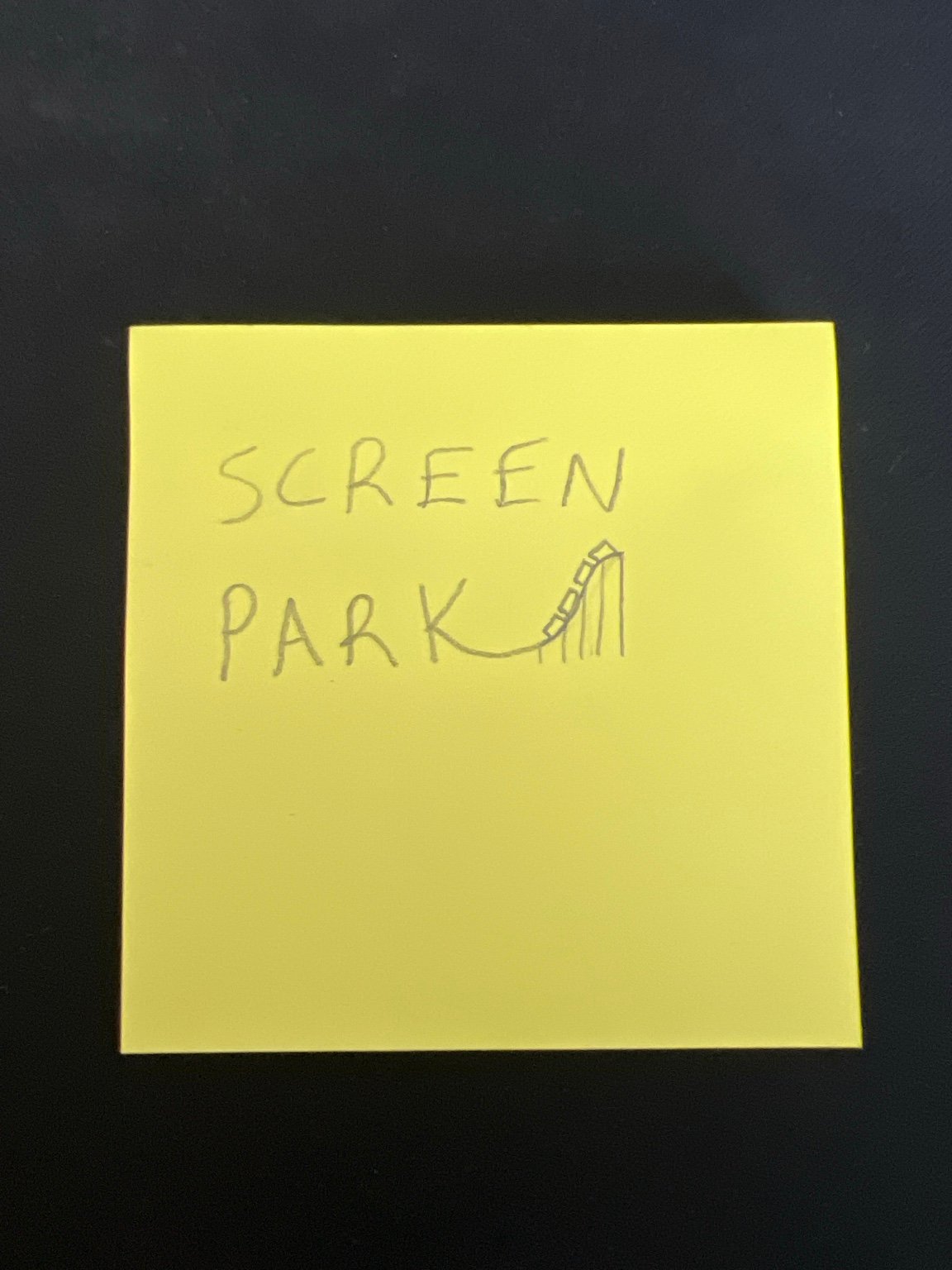
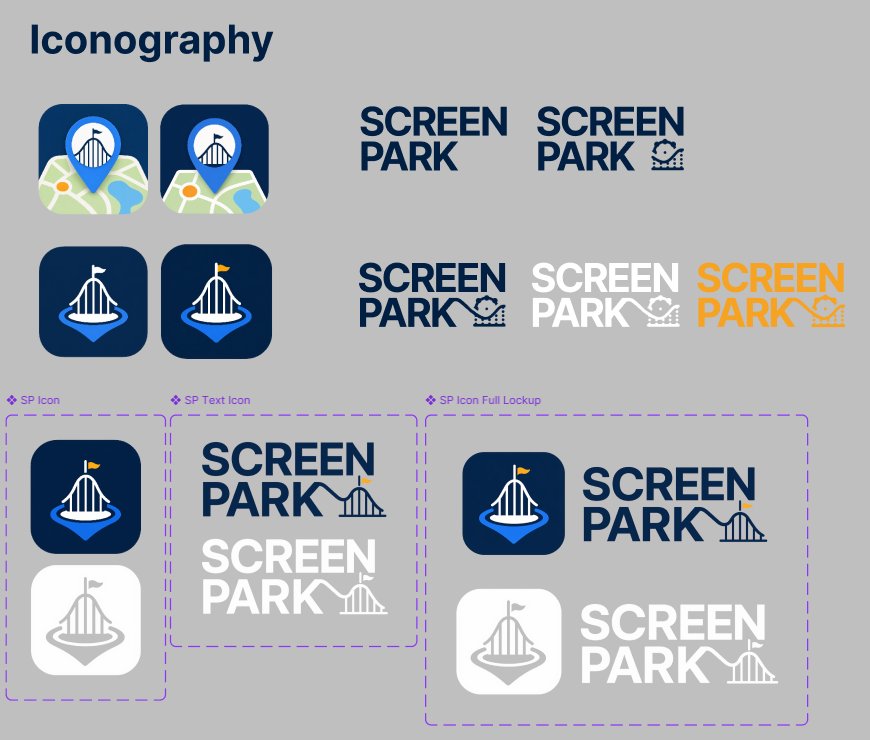
The mark had one hard requirement: survive being shrunk to a 48 pixel app icon and still say what the product is. A coaster crest anchored to a location pin, sketched on a sticky note and reduced from there until nothing left could be removed.

Four decisions carry most of the product. Each one is an answer to a specific way the existing apps ask a guest to already know something.
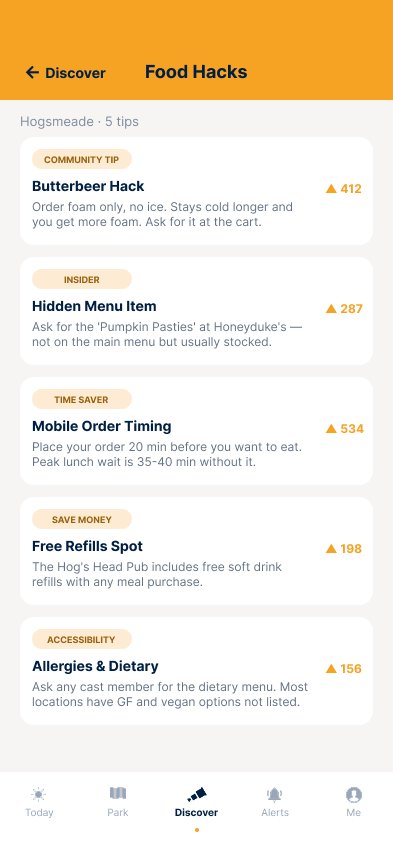
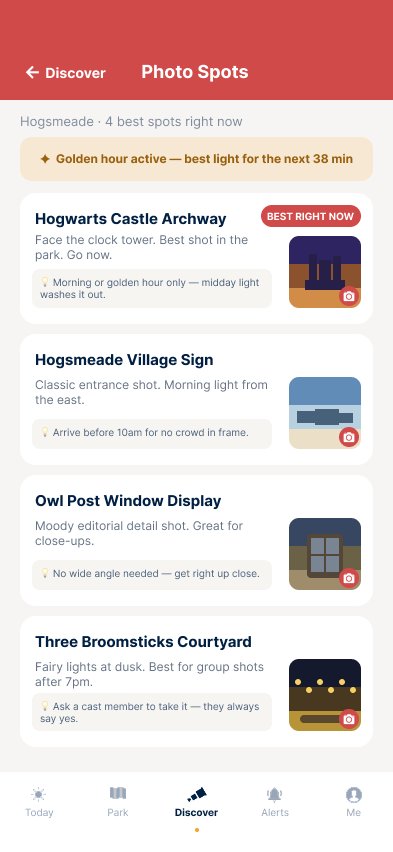
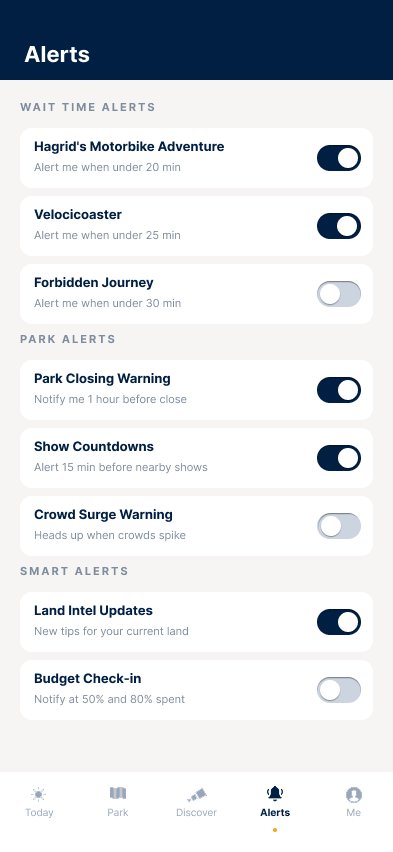
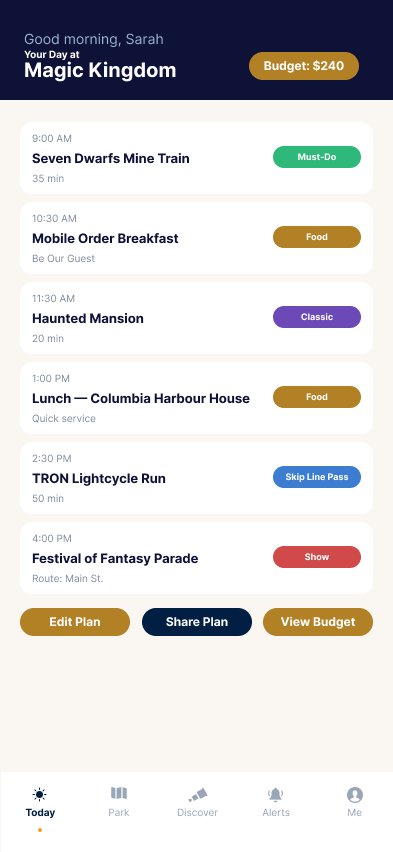
A selection of screens from the Universal and Disney flows. Each screen was designed to component spec and updated with the final icon and nav component library.
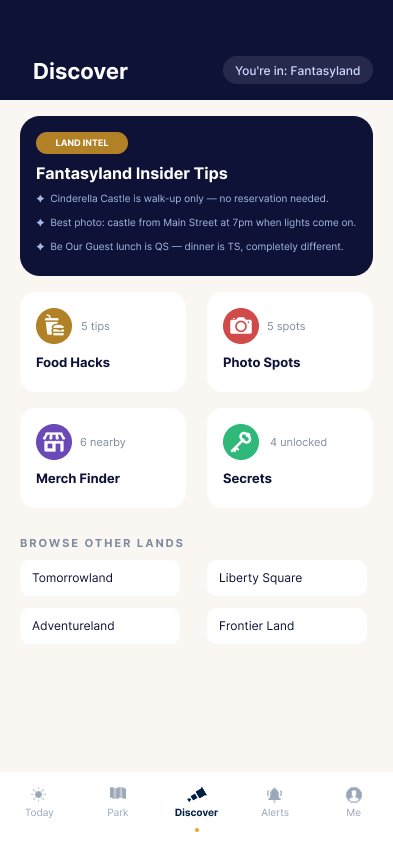
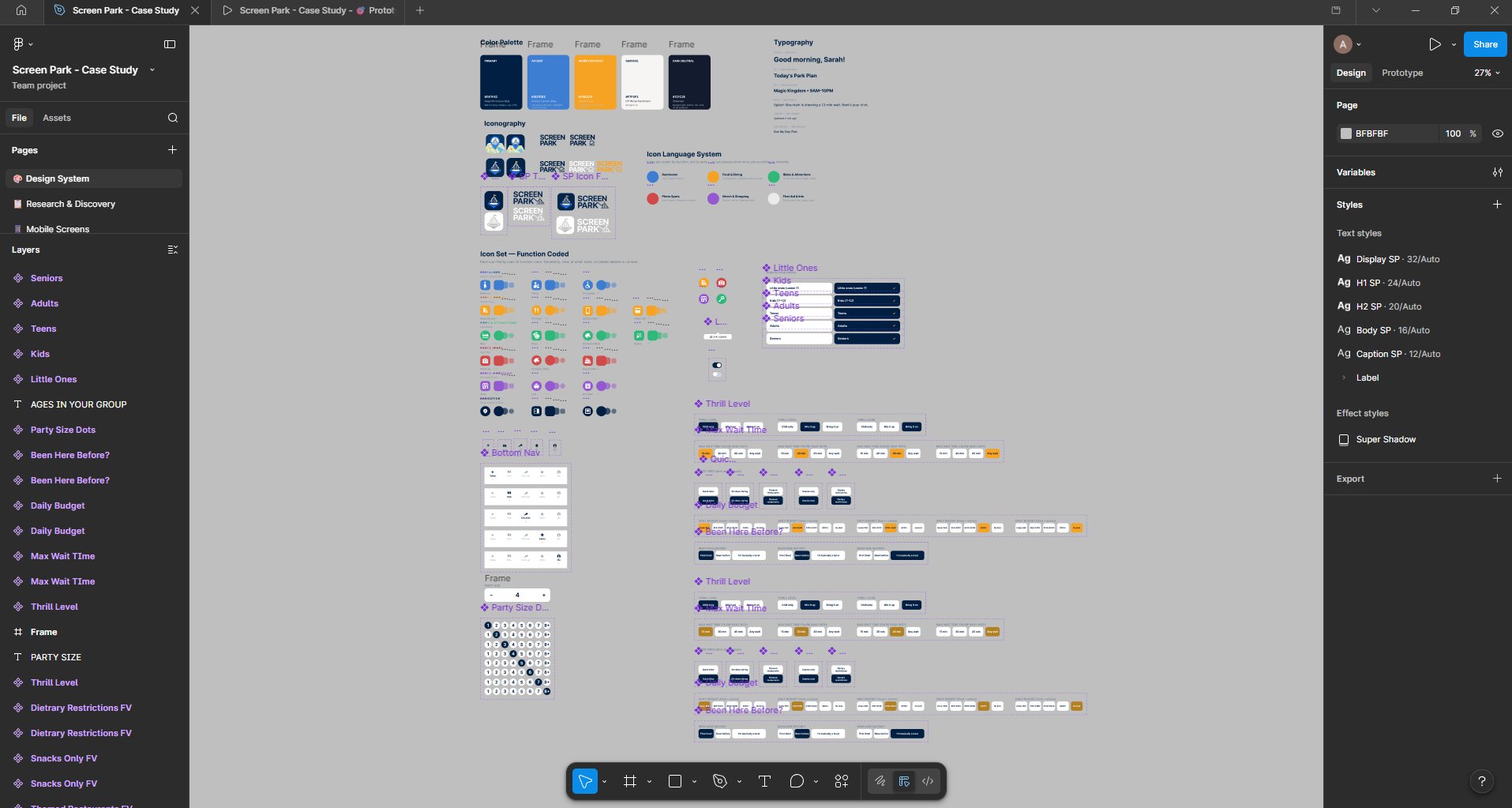
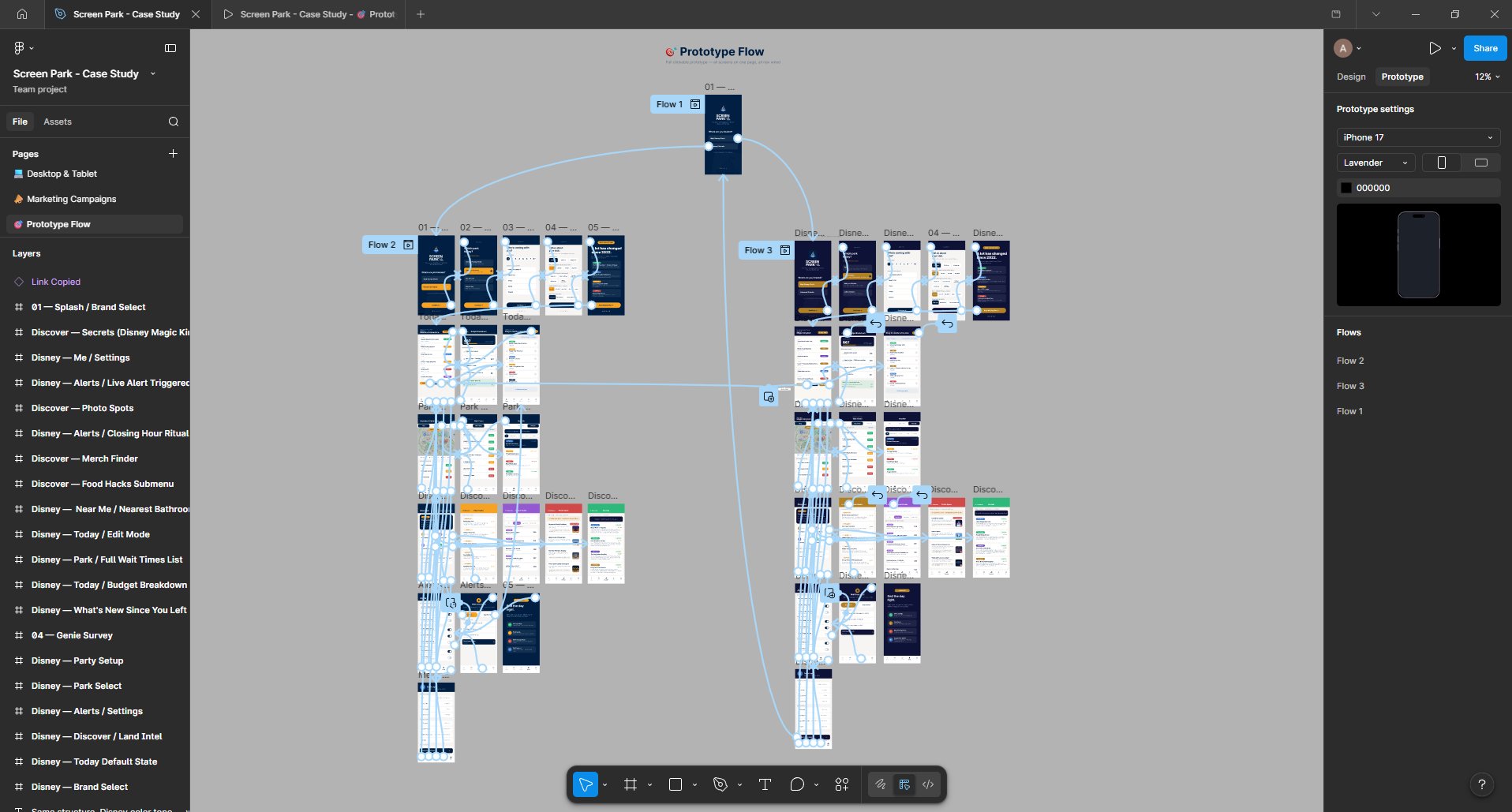
Building a second variant after finishing the first is the most useful constraint I have put on myself. It turned every design system decision into a claim I had to defend. If a component could not carry into a different color language while holding the same structure, it was never a system. It was a one-off wearing the costume of one.
I also went to the parks in the middle of the build, on purpose, to test assumptions against what guests actually do. That was the moment the case study changed. I had designed for the confusion I remembered. What I watched was more specific than that: people stopping in walkways to read, families splitting up to check two things at once, phones out for long stretches in the middle of an experience they had paid to be present for. Testing mid-process rather than at the end meant those observations could still change the product. Several did.
Theme park expertise should not be a class system. The foam hack, the photo spot at golden hour, the single rider line nobody advertises, the child swap program that lets parents take turns on thrill rides without queueing twice, these are the difference between a stressful day and a great one, and right now they are distributed by who you happen to follow. Screen Park exists to close that distance.
I have spent years being the person friends text before a park trip, translating the system for people I know. That knowledge should not depend on knowing me. The parks are built on the promise that anyone can walk in and have the day, and the software in front of them should hold up the same promise.